All material presented on this website, including articles, images, stereograms, flash clips and programs
are copyright protected and can not be used without written permission of the website owner
Stereogram Games
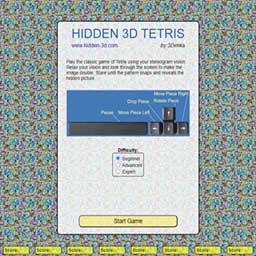
Stereogram Tetris
Select your level (Beginner, Advanced or Skilled) and
try to hold the stereoscopic image as long as you can as you pack tetris figures into solid lines. If you get tired, use the Spacebar key to pause the game.
If you get 30000+ points you have a good chance to lead our Hi-Score table.
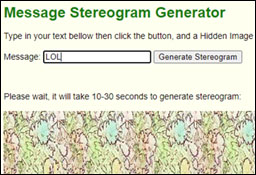
Message Stereogram Generator
is the simplest tool we have. Just type in a word or two, your name for instance, and then press the [Generate Stereogram] button
and a Hidden Image Stereogram will be created from your text.
ASCII Stereogram Generator is a perfect tool for creating ASCII stereograms.
Enter desired Width and Height (the dimensions of the stereogram measured in characters). Then enter Depth Map and Texture pattern if you would like.
For the Depth Map use numbers which represent the level of depth from 1 to 9. An empty space is equal to level 0. Click the [Render] button and a Text Stereogram
will be generated momentarily.
The following stereogram games use Adobe Flash, no longer supported by the major browsers. The good news is that you can still enjoy these games using the desktop Flash player, called "Projector".
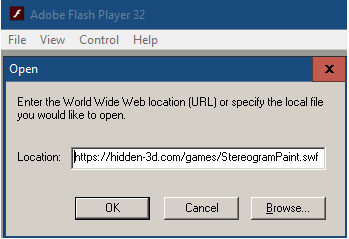
2. Start the Flash Player and then open the file dialog using menu, File->Open, or by pressing Ctrl+O
3. Copy-paste one of the following addresses into the Location:
https://hidden-3d.com/games/StereogramPython.swf
https://hidden-3d.com/games/3D_Stereogram_Tetris_2.swf
https://hidden-3d.com/games/StereogramPaint.swf
4. Then press the [OK] button. The game will start playing as soon. The score table should also work. - kudos to Oliver who described this solution in comments, thank you!
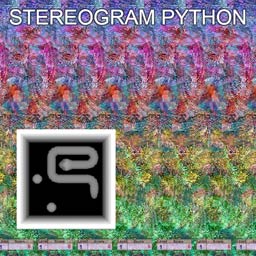
Stereogram Python is another classic game in hidden picture mode.
1. Use control keys to turn moving python or to stop it. It's OK to hit walls and itself.
2. Collect food balls. They will make the python to grow. Fresh food balls create more points.
3. When a certain number of food balls has been collected, you will be given an exit to the next level.
4. When you find an exit, the points made at that level are doubled.
5. Don't get the python into a dead-end, it will kill the Python.
6. Don't hit spiky traps, they'll also kill the Python.
Make 100+ points and feel free to submit your score to the hi-score table. Good luck!
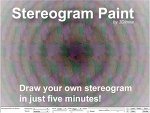
Stereogram Paint is amazing tool for drawing stereograms using just your mouse.
Though it's very easy to use, it has advanced features for drawing shapes in 3D.
Start with simple shapes, draw them on the black canvas using your mouse and then click the [Render] button.
A graphical stereogram will be created in seconds with a hidden picture that you have drawn. Here are some instructions and features:
1. Background drop down list allows you to pick one of preset backgrounds.
2. Texture drop down allows you to pick a pattern.
3. Brush Type (Circle, Square, Dimond, RectX and RectY) changes the brush shape and the slider below changes the Brush size.
4. Edge Type (Plane, Sphere, Inset) changes the edge of the Brush and the slider below changes Edge size.
5. Depth slider changes current Z level of the brush.
6. Eraser checkbox switches the brush to erase mode (don't forget to pick a Depth).
7. Depth Increment changes Z Depth of the Brush while you draw. +/- slider sets the speed of change (angle in 3D).
8. If you need to reset Depth Increment - click the button next to it - [0].
9. Depth Pick button - [?] gets the depth from where you click - very convenient.
10. Unde/Redo buttons - 10 steps of Undo (a must feature in any editor).
11. Clear - erases whole scene.
12. Render - generates Stereogram. When you click on stereogram - you'll be switched back to editor mode.
13. Save button - download your Depth Map or Stereogram from.
Please Support us
If you liked our stereogram games and willing to support us, please consider making a small donation which will help this site continue to
explore and share the magic of 3-D Stereograms.
Thank you! Add or Read Comments (16)